Build your roster
This page is for people running a venue or a night. If you’re a DJ looking to play, start here.
When you’re done, you’ll have every DJ you work with in one list you can reach in a single action.
Share one link — the fast way
This is the route to use. Post one link in the group chat you already have, and the DJs add themselves. No typing addresses, no chasing.
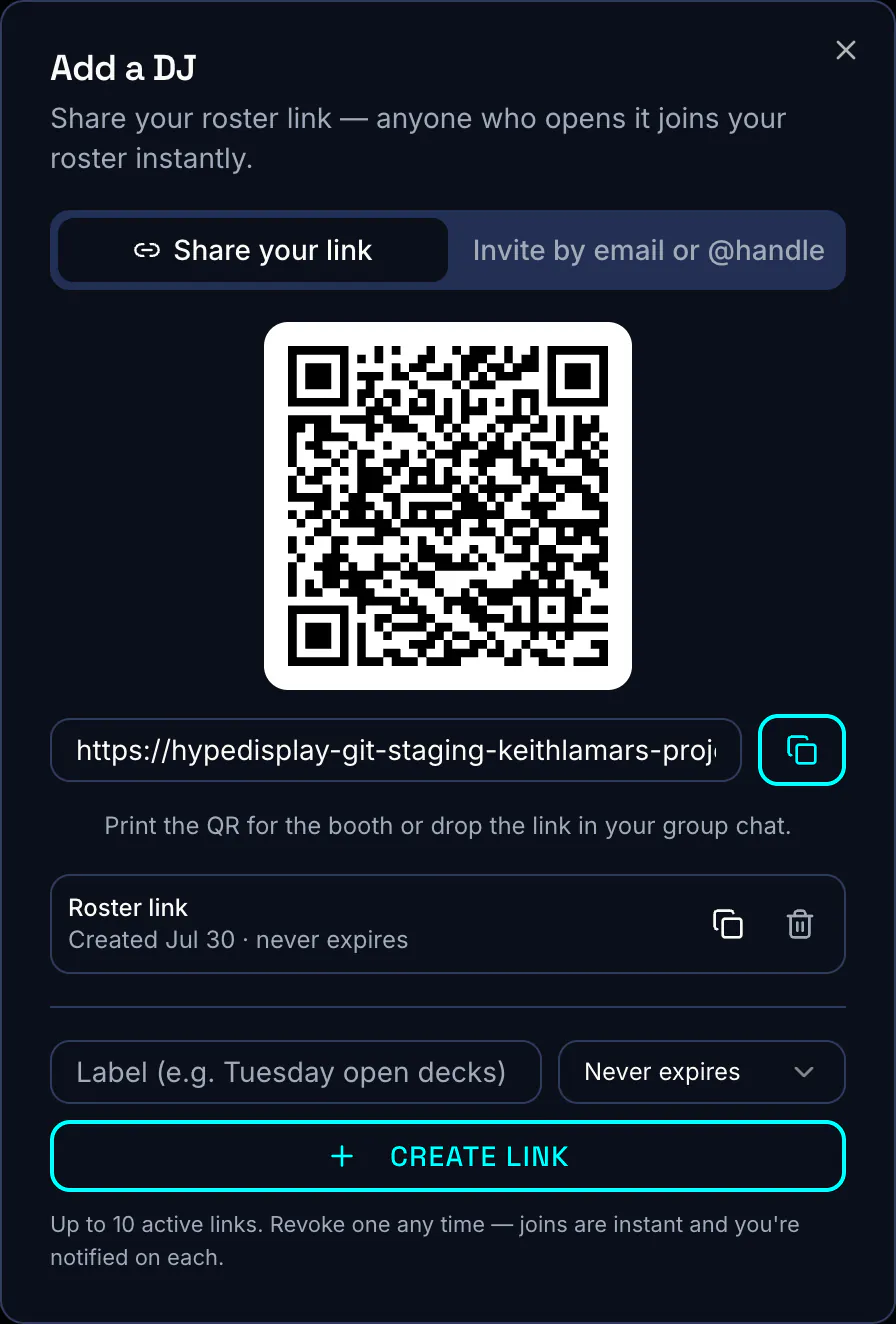
- Open Rosters, pick the roster you want them on, and choose Add a DJ. A share link belongs to the roster you created it from.
- Stay on Share your link. Copy the link, or use the QR code.
- Set how long it should work for. Leave it open for a standing invitation, or expire it in a week for a one-off.
- Post it wherever your DJs already are.
Check it workedOpen the link in a private browsing window. You should see your venue’s name and a join button, without needing to sign in first.
Invite a DJ directly
- In Add a DJ, switch to the invite tab.
- Enter their email address or their handle. The field accepts either.
- Send. The DJ gets an email with a link to accept.
You can invite a DJ who has no account yet. They create one when they accept, and land on your roster afterwards.
Requests coming the other way
DJs can request to join from your venue page. Requests wait under Requests until you approve or decline them. You assign a grade at the moment you approve.
If you would rather not take requests at all, switch them off. Your share link and your invites keep working.
Grades and notes
Grade each DJ. You can then reserve the better slots on your nights for the higher grades. Add notes for anything you will not remember in six months — what they play, who they bring, how the last night went.
If it didn’t work
A DJ says the link does not work. It has probably expired, or you revoked it. Generate a fresh one.
An invite shows as waiting forever. That DJ has not accepted yet. Resend it after a day or so, or send them the share link instead. The link is usually faster.
You have hit the cap. Venue Free holds 15 DJs. Paid venue plans have no limit.
Last updated 2026-08-01