Promoters: your crew deserves its own page
Your lineups live in stories that expire. Give the crew a page that doesn’t. A DJ promoter page is one public page for the crew itself — the name on the flyer, the DJs who play your nights, and the nights you run.
It is not a venue page, and it is not one member’s profile. It is a page for the brand you already promote every week. Below: what the page carries, how the roster works, and how the nights you host end up on it.
Why the crew needs its own page
Most crews already have an identity. A name, a sound, a poster style, a group chat. What they don’t have is a page.
The lineup goes in a story and is gone in a day. The flyer is a new image every month. So when a DJ wants to play your nights, or a venue wants to know who you are, there is nowhere to send them that stays current.
A promoter page fixes the scatter: one public page for the crew, separate from any one member. It works the same whether you call yourselves a crew, a collective, or an events brand — the product calls the role promoter, and it means all three.
Venues feel the gap too. A booker deciding on a Friday wants to see who plays with you and where you have run nights — not a screenshot of last month’s flyer.
On Hype Display, promoter is its own role beside DJ and venue, and one account can hold all three. Your own DJ profile stays yours; the crew’s page belongs to the crew’s name. If the product is new to you, start with what Hype Display is.
What a DJ promoter page carries
The top of the page is identity: the crew’s name, photos, genres, home city, and an about section in your own words.
Then the crew, if you choose to show it. Point a roster at the page and its DJs appear as cards. Each DJ decides whether they show, and every card links to that DJ’s own public profile — the lineup as people, not as text on a flyer.
Then the nights. A night you host appears on the page with a sign-up button while slots are open. After, it stays on the page as history, naming the room it happened in.
The page also lists the cities you are active in. You never type that list — it is read from the nights you run, so it cannot go stale.
Contact is printed only if you fill it in. Add an email, a phone number or a website and they appear on the page; leave them blank and the page stays quiet.
A public page joins the promoter directory once it has something on it. It is also built so a search for the crew’s name can land on it.
Put the crew on the page
The roster is the crew list, and you build it once. Share one link in the group chat and the DJs add themselves. You can also invite a DJ directly, and DJs who find your page can request to join — you approve or decline.
Approving a request is also where you grade the DJ. The grade is private, and it is what you will lean on when you pick a lineup at midnight.
What stays private stays private. Grades, notes, and how often someone played are your own records; none of it prints on the public page.
Rosters belong to your account, not to one brand. Run a venue and a crew from the same account and the same rosters serve both — each list chooses which of your public pages it appears on, or neither.
The step-by-step lives in the roster guide.
The nights you run, under your own name
A promoter page earns its keep on the nights. You can host an Open Decks night under the crew’s name at any venue — the room does not have to be yours.
Posting a night creates a public sign-up page. Share one link where your DJs already talk, and the night also sits on your promoter page with its own sign-up button while it’s coming up.
The flow is the same one venues use for their Open Decks nights, so a DJ who has claimed a slot before already knows it.
When the night ends, the night report is waiting beside it in your dashboard: who claimed a slot and played, and who didn’t show. Each DJ who played gets a recap of their own set the morning after. The full operation — slot lengths, waitlists, handoffs — is in the run-a-night guide.
And the night never disappears. It moves into the history on your page, next to every night before it. That running record is the thing a story can never give you: proof the crew runs real nights, in real rooms, on a page anyone can check.
Claiming the promoter role
The first time you sign in, Hype Display asks what you do — DJ, venue, promoter. Pick the promoter card, give the name on the flyer and your city, and the page exists. Pick several if several are true; only what you pick gets created.
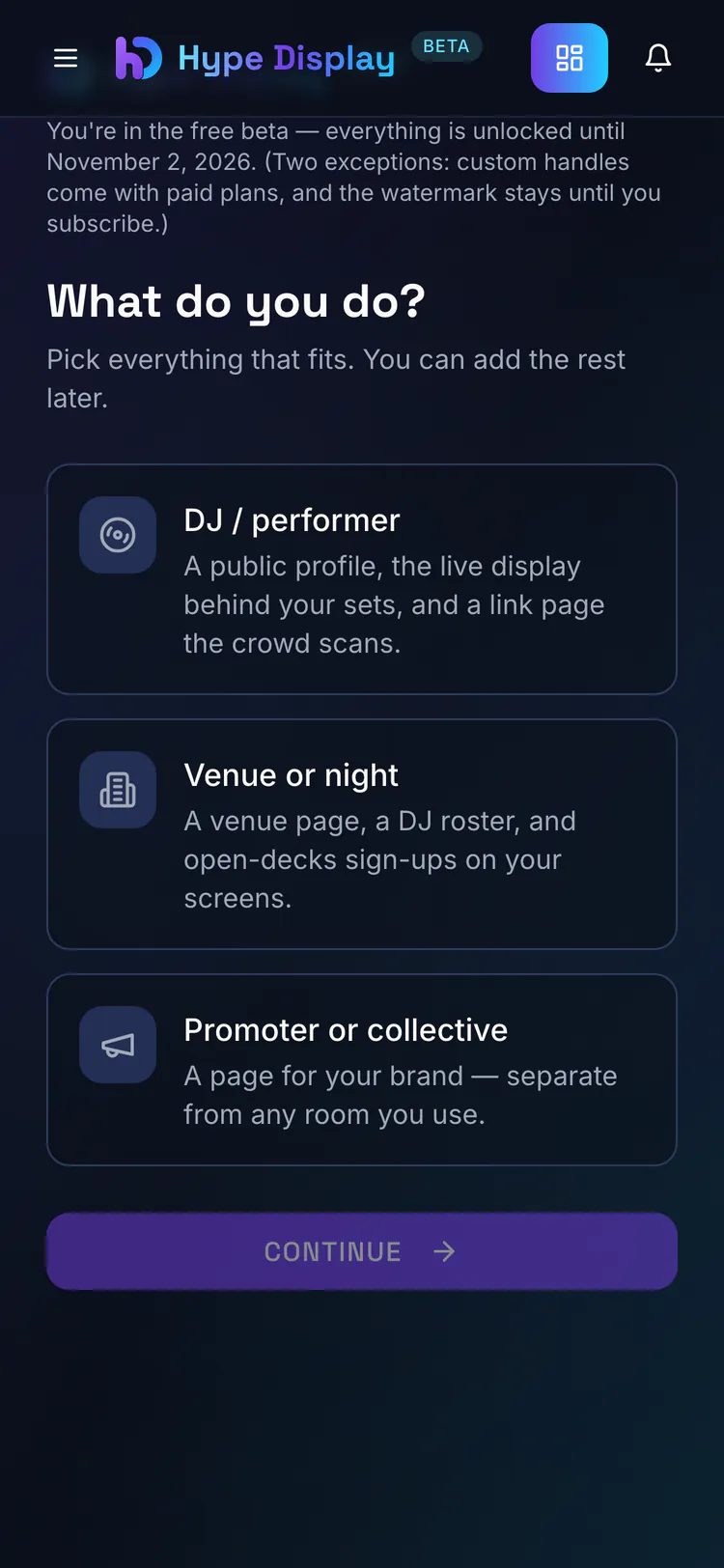
Already have an account? Add the promoter role later from your dashboard — nothing starts over. Your page goes live listed in the promoter directory, and you can unlist it anytime.
The page itself starts at no cost. Hosting nights under the crew’s name comes with Promoter Lite and up — what each plan includes is on the pricing page.
One more thing before the flyer goes to print: the name in the page’s web address.